
 8:11
OSI Model
"Your Connection Is Not Private": TLS and Encoding | OSI Layer 6
The packing room: the label printer, the vacuum sealer and the lock on door 443.
8:11 Watch
Tuesday morning: "the internet is down" is on every desk in the building. Except it isn't. Ping an address on the far side of the world and it answers in twelve milliseconds. Type a name and nothing. Every layer below is doing its job; the one thing the building can't do is ask for what it wants. In this episode Professor Flows explains the Application layer using the three places a request begins in Byte City: the storefront, the mail room and the Yellow Pages.
Tuesday morning. "The internet is down." That's the ticket, and it's on every desk in the building.
Except it isn't. Ping 8.8.8.8, an address out on the internet, and it answers in twelve milliseconds. The road works and the gate works: Layers 1, 2 and 3 are fine.
Now type a name, www.bytecity.tech, and nothing. The browser says the server's IP address could not be found. The address works. The name doesn't.
The building can move data. It just can't ask for what it wants. That is Layer 7 of the OSI model: the Application layer.
Every lesson so far has been about getting the data there. This one is about what the data is for, and in Byte City most requests begin at the storefront.
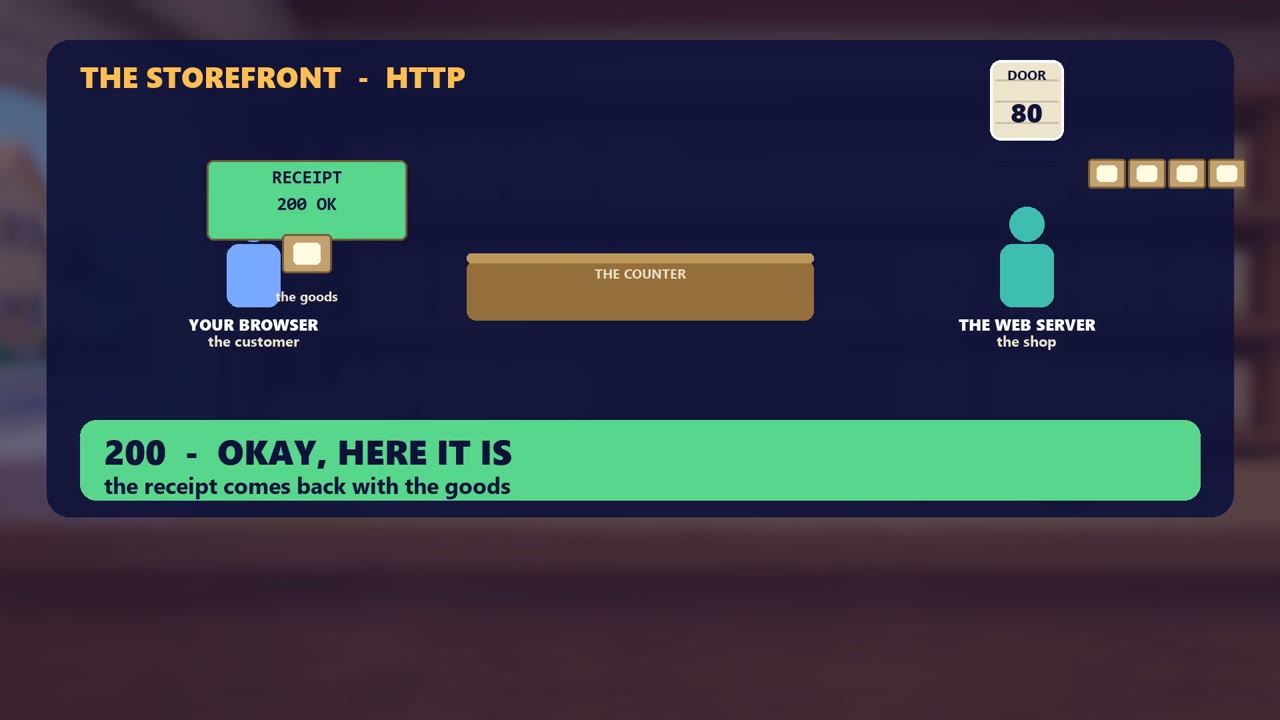
That is door 443, or door 80 without the lock. Behind it is a shop. You hand a slip across the counter: "Get me the catalogue page." The shopkeeper fetches it and hands it back with a receipt: "200, okay, here it is." Ask for something that isn't on the shelves and you still get a receipt: "404, not found."
Those slips and receipts are the rules of the storefront. The real name is HTTP: the slip is the request, the receipt is the response, and its number is the status code.
Your browser is the customer; HTTP is how the customer and the shop talk. Put the lock from the Layer 6 lesson on the door and it's HTTPS: the same slips, inside the wrap.
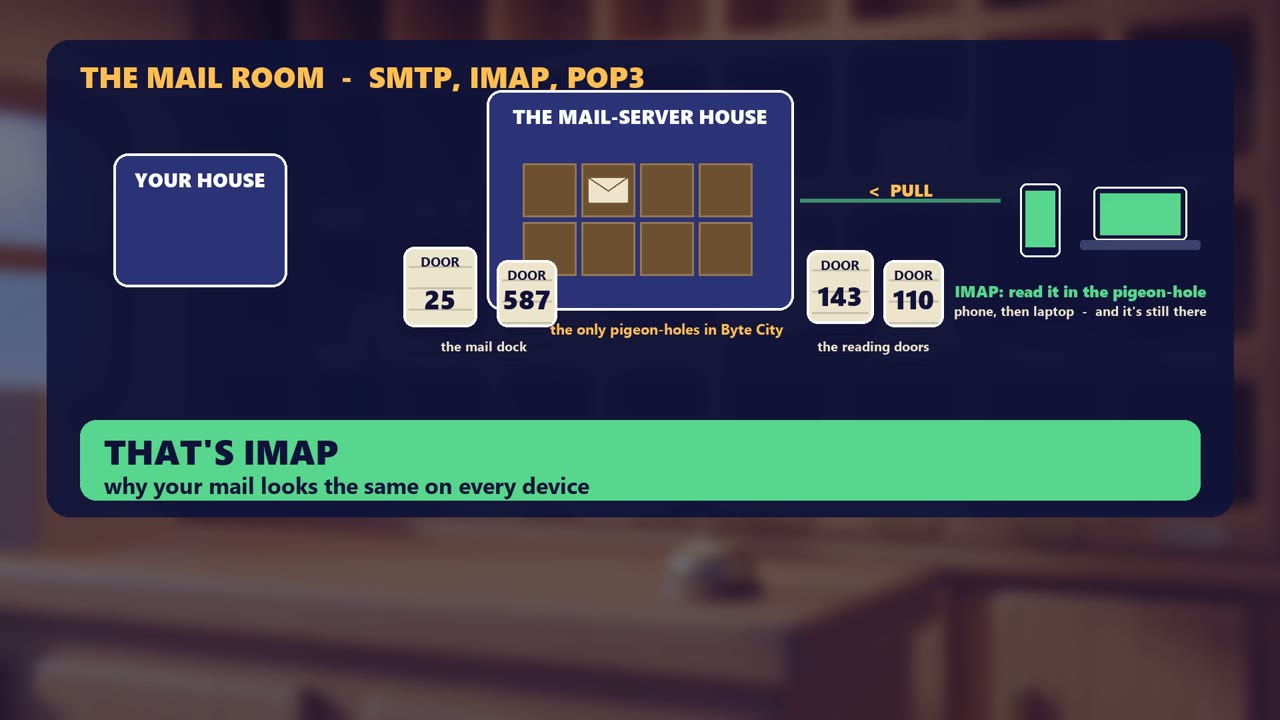
The second place a request begins is the mail room. Byte City has one rule about mail: no house has a mailbox at the curb. Every letter goes through a numbered door, and the only pigeon-holes in the city are inside the mail-server house.
Sending is a push. Your letter goes to the mail dock: door 25 between mail houses, and the side door, 587, when your own mail app hands one in. It ends up sorted into the pigeon-hole of whoever it's addressed to. Those are the rules of sending, and the real name is SMTP.
Reading is a pull, and there are two styles.
Sending and reading are different conversations, through different doors, which is why mail can go out perfectly well while nothing comes in.
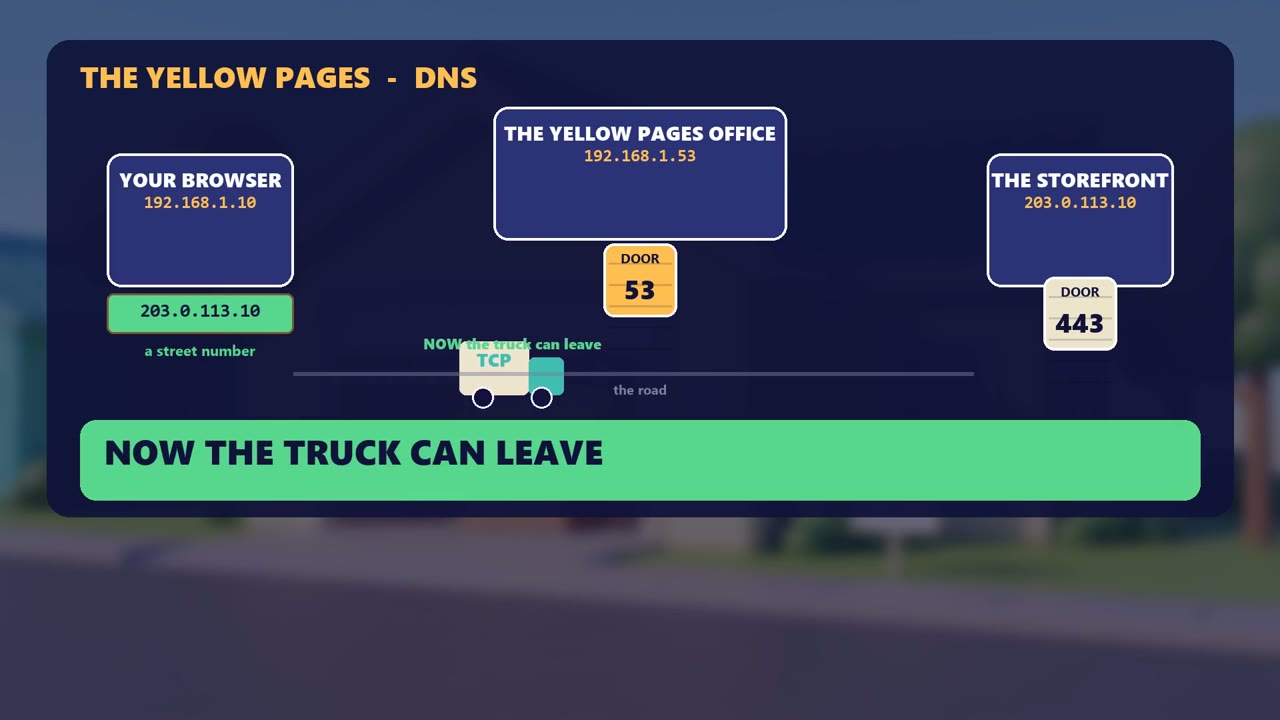
Here is where every conversation actually begins. People know names. Trucks need street numbers. Before your browser can go near the storefront, it has to turn a name into a number.
So it asks the Yellow Pages, with the bullhorn from the Layer 4 lesson aimed at the office's door 53, because this is one small question and one small answer. "www.bytecity.tech?" The office shouts back: "203.0.113.10." Now the truck can leave.
If the office doesn't have a listing, it asks the people who publish that name, on your behalf, and keeps a copy for next time. Your own machine keeps a copy too, for a while.
The real name is DNS. This is the lookup that failed on Tuesday morning: the road was fine, the storefront was open, and nobody could find the number. DNS gets a complete lesson of its own.
Door 22 is the staff entrance. That's SSH: a technician letting themselves in to work on the house from across town. It's a wrapped, locked conversation, like the storefront's lock, but for the people who run the building rather than shop in it.
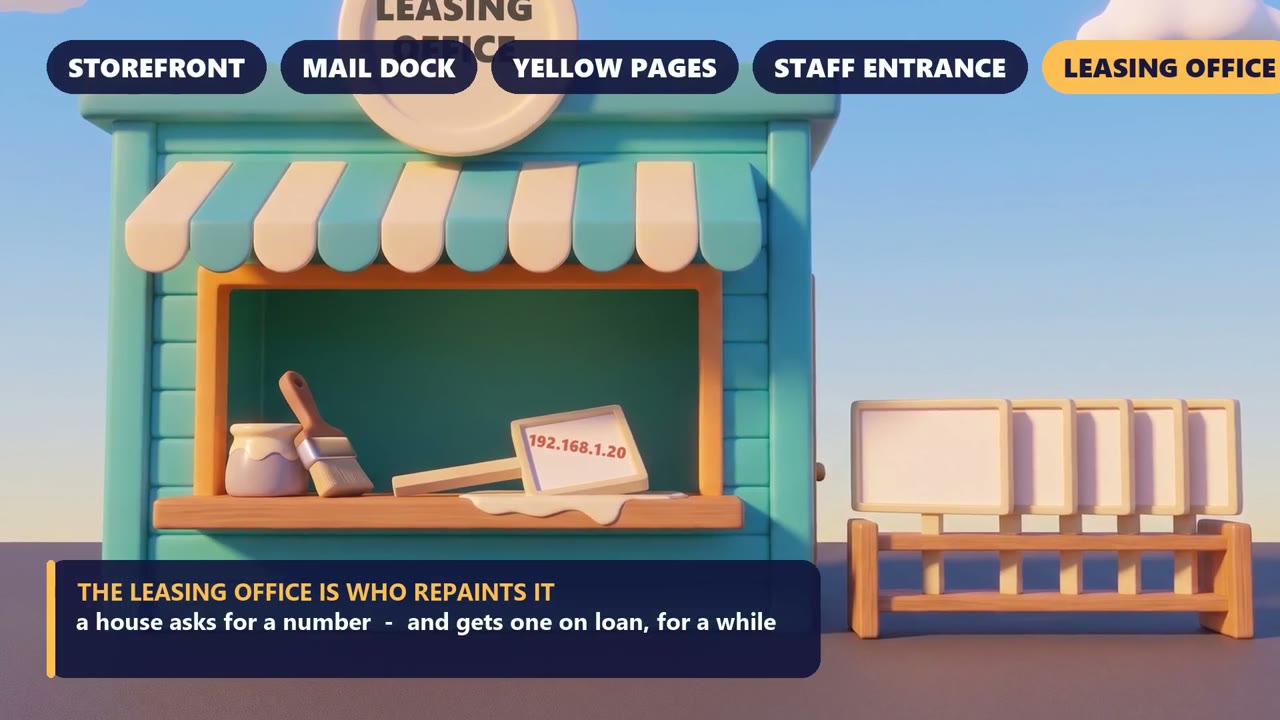
Then the leasing office. In the Layer 3 lesson the lawn sign was the address, and it can be repainted. The leasing office is who repaints it: a house moves onto a street, asks for a number, and gets one on loan for a while. That's DHCP. It's Layer 7 too, a conversation with rules like all the others, and it gets its own lesson.
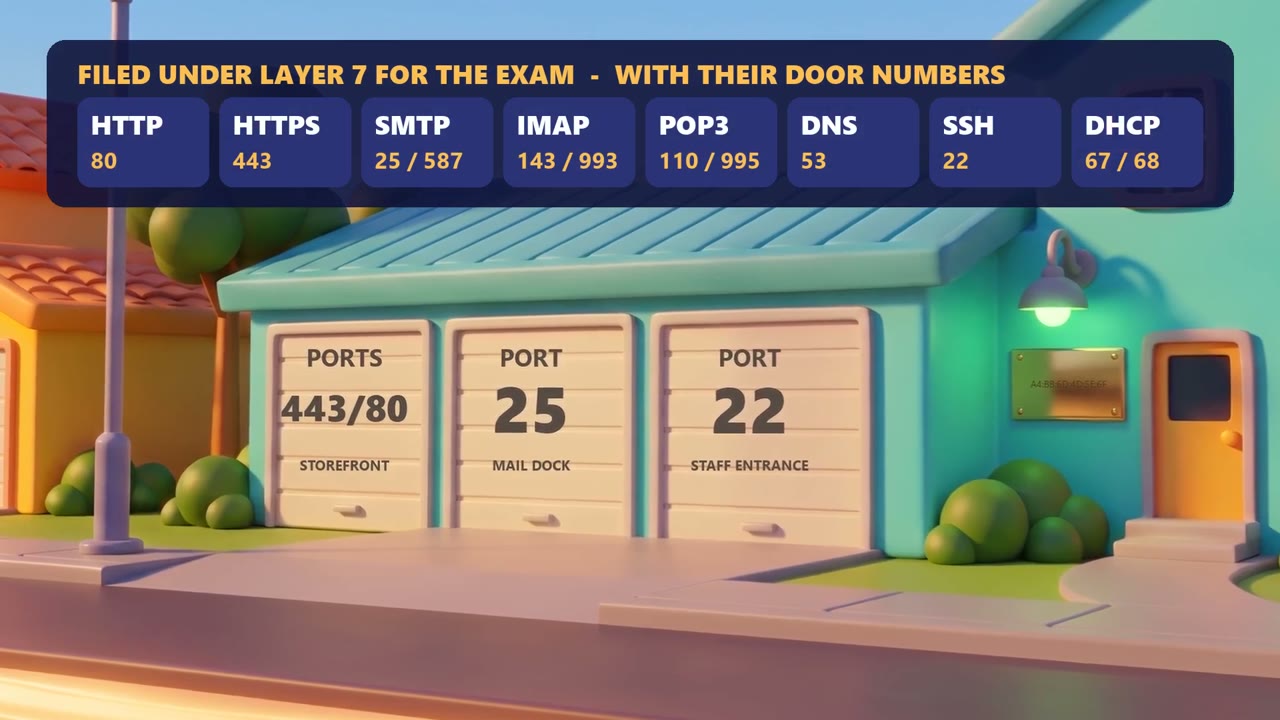
| In Byte City | Real name | Doors |
|---|---|---|
| The storefront: a slip in, a receipt back | HTTP / HTTPS | 80 / 443 |
| The mail dock: sending | SMTP | 25, and 587 from your mail app |
| The pigeon-holes: reading | IMAP and POP3 | 143 / 993 and 110 / 995 |
| The Yellow Pages office: a name in, an address out | DNS | 53 |
| The staff entrance | SSH | 22 |
| The leasing office | DHCP | 67 / 68 |
For the exam, those six and their door numbers are the core of Layer 7. Know which building each one lives in.
Now the honest footnote. Layer 7 is not your application. Your browser is not Layer 7. Your mail app is not Layer 7. They are the customers. Layer 7 is the set of rules the customer and the shop agree to speak: the slips, the receipts, the pigeon-holes.
The four-floor building from the OSI Model lesson, the TCP/IP model, simply calls its top floor Application, and it holds the packing room and the delivery window as well. Same rules. Fewer floors.
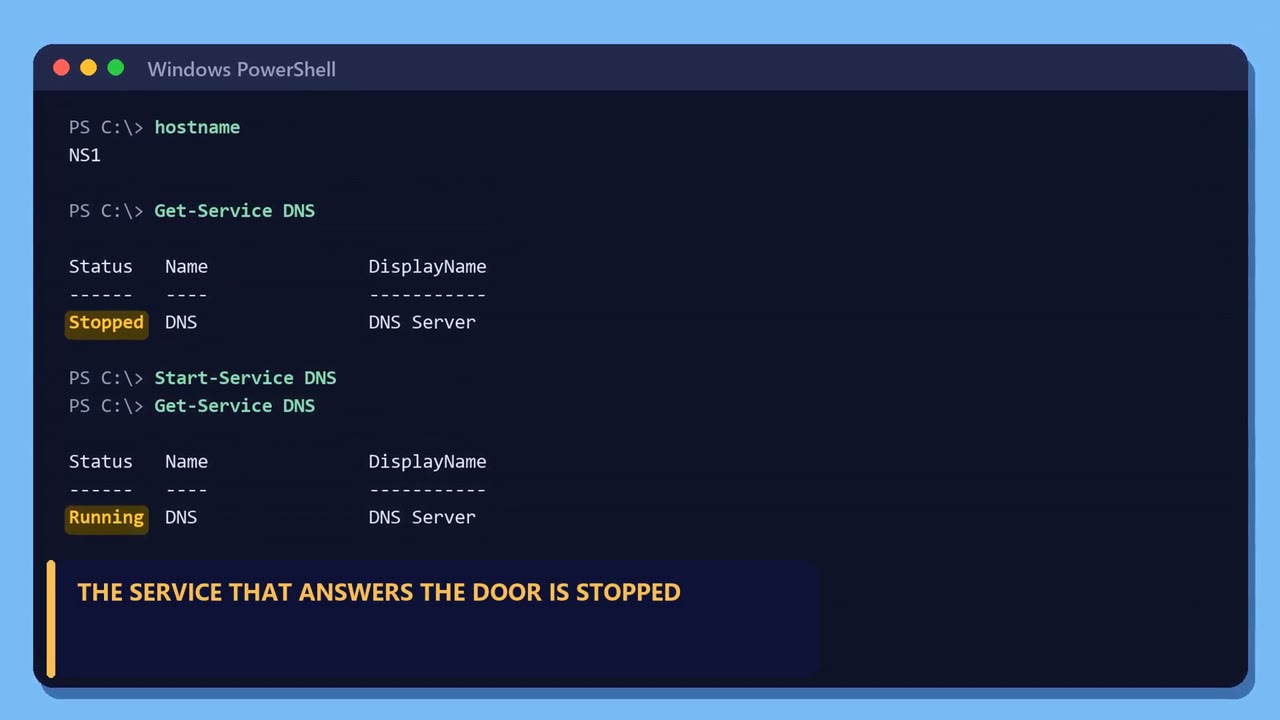
Back to Tuesday morning. ping 8.8.8.8 replies. ping www.bytecity.tech "could not find host." So ask the Yellow Pages directly. nslookup www.bytecity.tech says "DNS request timed out." Not a wrong answer: no answer. The office isn't picking up.
ipconfig /all shows this machine is pointed at the right DNS server, 192.168.1.53. So walk over to the office itself. There, Get-Service DNS shows the DNS Server service Stopped. Run Start-Service DNS and it's Running.
Back on the desk, nslookup answers: www.bytecity.tech, address 203.0.113.10. Name in, number out. The page loads. The internet was never down. The Yellow Pages were closed.
The tip: if the address works and the name doesn't, stop looking at the road. It's the Yellow Pages. Nine times out of ten, that one question saves you an hour.
For the Network+ exam: a user can ping 8.8.8.8 but can't reach a website by name. Which layer and service first? Layer 7, DNS. The ping clears the cable and the gateway, and the user never got as far as port 443.
Layer 7 is the storefront, the mail room and the Yellow Pages, and it's the rules, never the app. That completes the building's seven floors: the road, the crate, the mail bag, the truck, the window, the packing room and the storefront. Next they go together: one click, followed all the way down, across the city and all the way back up.
The network works, but the name can't be turned into an address: a DNS problem. Test with `nslookup` and check the DNS server shown by `ipconfig /all`.
It holds the rules programs use to ask and answer: HTTP, SMTP, IMAP, POP3, DNS, SSH and DHCP. The browser itself is not the layer; it speaks those rules.
IMAP keeps mail on the server, so every device sees the same mailbox. POP3 downloads it and usually removes it from the server, which ties it to one device.
200 OK means the server found what was asked for and sent it. 404 Not Found means the server answered, but that page doesn't exist there.
Port 53. Ordinary lookups use UDP, because they are one small question and one small answer.
Five questions on this lesson. Pick an answer to see why.
Previous
8:11The packing room: the label printer, the vacuum sealer and the lock on door 443.
Next
 8:28
One click, seven floors down, across the city, and back. Every layer in one trip.
Related
 9:32
Numbered doors, the truck that calls ahead and the bullhorn that doesn't.
Related
 9:50
A city, seven floors, and why the model lost as a design and won as a language.
Exam objectives: CompTIA Network+ N10-009: 1.1 (OSI model, Layer 7), 1.4 (common ports and protocols), 1.6 (DNS, DHCP), 5.3 (name resolution troubleshooting), 5.5 (ping, nslookup, ipconfig).
Byte City is not affiliated with or endorsed by CompTIA.